Get higher ranks on Google with Search Engine Optimization !
Professional Search Engine Optimization services to give your websites the visibility through search engines and the social media channels.
Become an SEO Expert, and get the edge over others!
Have a website that needs help with SEO? Contact me with your details now for a personalized, custom review.
Become an SEO Expert, and get the edge over others!
Have a website that needs help with SEO? Contact me with your details now for a personalized, custom review.
Sep
03
Filed Under (Wordpress SEO) by Mani Karthik on 03-09-2008
There’s something with themes with large headers that others don’t have. Well, large headers have the added advantage of making an impression on the visitors, despite your well written content. They make an impression with the bright images and also provides more real estate for SEO. More than anything else, you have an extra option of adding more copy there on the very top. Good - Is it not?
Here are 16 wordpress themes that have large headers for more space and action. Play them on!


8. Elegance Theme

9. Simple Green

10. Puzzled


Sep
01
Filed Under (Wordpress SEO) by Mani Karthik on 01-09-2008
Were they always meant to annoy you? Sometime the yellow error sign, or sometimes the page not found black and white message..so boring, if only you could do something about it.
I found this cool wordpress plugin last day, it actually does a lot more than replacing your 404 error page with a custom fancy message. In fact, you won’t even know that you’re on a 404 page.
This is what you get while a visitor lands on a 404 page.
- Gets a page with loads of information based on the “query”
- Gets google search results
- Video results
- Google Image results and
- Related posts
That would leave anyone with something to take back home isn’t it?
The plugin is very easy to install, but would require an AJAX Google API Key.
Aug
27
Filed Under (Wordpress SEO) by Mani Karthik on 27-08-2008
On wordpress, threaded comments have not been a big issue so far, but with code tweaks and DB updates required, most of the plugins that “promised” a threaded reply comments were not popular if not with some hardcore Wordpress coders and the like.
Well, to end this situation, we have a brand new wordpress plugin that let’s you reply to comments on non-threaded comment templates by adding a simple “@” sign just like in Twitter.
With the new plugin installed, readers can use the @ symbol to reply to any comments above them and it would show a original comment preview near it and gives you a threaded effect.
Technically :-
This plugin allows you to add Twitter-like @reply links to comments,
including a preview of the comment replied to.
When clicked, those links insert the author name and a link to the
comment you are replying to in the textarea, and adds a Preview of the
original comment to the @Reply (on hover using javascript).
Aug
26
Filed Under (Search Engine Optimization) by Mani Karthik on 26-08-2008
Hotlinking is the process by which a website uses an image from another website, thereby using his bandwidth. Some see it as theft while some think it is a free world so it’s okay.
Sometimes we all bloggers do it and it’s not good in the sense that it’s as same as theft. Stealing others bandwidth is a crime. Though often, bloggers credit the original source, many people do miss it as well.
Well, if you have original images on your website that you don’t want someone to hotlink, here’s a neat wordpress plugin that will make a win-win situation out of it. There are already known methods by which we can replace any images stolen by others with a nasty one (with MOD rewrites etc), but I think this plugin does it a more healthy and democratic way.
Here’s what it does.
When someone hotlinks images from your site, it automatically adds a credit text (which you can customize) to be placed on the original image.
There is a bit of .htaccess tweaking to be done, so this is not for the fait at heart.
Download the plugin here.
Aug
25
Filed Under (News) by Mani Karthik on 25-08-2008
- Interesting & Creative uses of Google Custom Search
The Google team has a snap shot of all the “creative uses” of Google Custom Search listed. - Google News is now available in Tamil
Google news is spreading out to more regional languages, Tamil is the new and latest addition. - Information on running many sites on AdSense and dealing with Google TOS
Google team has detailed info on how to manage and report with your AdSense account when you are running it on many websites. - More information on malware/badware infection from Google
The number os sites shown as malware infected is coming down and Google has the reasons - MyBlog Log similar posts widget for Wordpress released
A great plugin for wordpress based on your community users interest and tags that shows related posts form around the users blogs. - How to change Wordpress Admin user name ?
I bet you didn’t know this.
Aug
21
Filed Under (Search Engine Optimization) by Mani Karthik on 21-08-2008
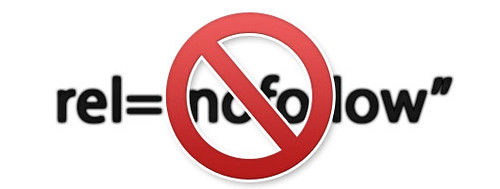
What is a ‘Nofollow’ link attribute? Is it the same as ‘Nofollow’ meta tag?
Many of us often get confused with this question. Most of whom I ask this question to believe that there is only one Nofollow tag. One that’s got to do with the links. I’m inclined to believe that there are two usages of the nofollow tag.
One - The Meta Nofollow “tag” and..
Two - The Nofollow link attribute..
Technically the nofollow tag does a basic function. Instruct the search engines how they should value a particular link, by either following it or not. Despite the command, search engines behave differently in understanding the Nofollow tag.
The Nofollow Link attribute
A nofollow link attribute is used on selected links by adding the rel=”nofollow” attribute to it.
As far as Google is concerned, it does follow the link (technically) but does not indexes the linked pages content or passes any value to it (link juice or page rank). In effect, the linked page is irrelevant to Google.
Format Example: <a href=”http://www.dailyseoblog.com” rel=”nofollow”>Anchor Text</a>
The Nofollow meta tag
This meta tag is added onto a page instructing the search engines to clearly stay away from all the search content and/or the links on that page.
Format Example: <meta name=”robots” content=”noindex,nofollow”>
There are two factors specified here. One- the content and second the links.
Noindex attribute means none of the content on the page will be indexed by the search engines (May be read but not saved or remembered).
Nofollow attribute specifies that all the links on the page must be ignored and not valued for.
(If the page is to be indexed,and links ignored then the attributes can be content=”index,nofollow”)
When and How to use the Nofollow link attribute on blogs - The Good practices
If you are on Wordpress, by default all the user generated links (comment area) are nofollowed unless you modify the code or use a nofollow remover plugin.
- Use nofollow on sponsored links or advertisers
Sponsors or advertisements on the site may not be relevant to your sites content all the time, so it’s better to nofollow them and let the advertiser know why you’re doing it. - Use nofollow on comments
Comments can throw up any number of completely unrelated links, and is a major concern to your authenticity. While removing nofollow on comments will encourage comments, it largely affects the quality of content on your site. - Do not use nofollow on all the links on a page if content is genuine
Some bloggers believe that they can save all the google link juice coming into their website by not letting any of it go to external websites, by nofollowing them. This is not true. Linking to external sites will not affect your pagerank and is purely based on who links to you. I’d say it’s foolish and selfish not linking to any external website. - If there are pages or information you don’t want to appear on Google, use meta nofollow tags
Be wise. There might be some content on the website like duplicate content, or some files/pdf’s that you want not to appear on Google index. Use nofollow in these cases wisely. - Use nofollow on external links that are not related to your sites content
When linking to websites for reference, check if the sites content matches with your’s or compliments your sites content. If it does not, and have the possibility of falling into bad neighborhood, it’s good to nofollow those links.
Essentially, the selective use of Nofollow is encouraged because it tells Google that you respect their algorithm and will do all that you can to support and not corrupt it in any way.
While it is possible for us to completely ignore this, and link to anyone and everyone you find interesting, there is nothing wrong as Google has it’s own ways of finding out if a website is good/bad/ugly and does not depend on one particular website.
But as a good practice, it’s always good to stick to good networks and selectively allow/disallow links so that you gather the authority and authenticity as you move along.
More information on how differently Google, Yahoo and Live sees nofollow tags, check this article.
Jul
15
Filed Under (Search Engine Optimization) by Mani Karthik on 15-07-2008
Was going through some forums and found that there are quite some annoying number of questions being asked about “nofollow” tags and their inclusion to blogs. One dude was asking if there’s anything wrong in nofollowing every link from his blog and another guy was asking if he should nofollow only the wikipedia links.
Here’s my opinions on the use of nofollow tags and how to romance them. 
Well, basically the “nofollow” tag is a…well tag/attribute that can be applied to hyper links and pages.
i) NOFOLLOW meta tags are used to tell the search engines whether to crawl a page or not.
ii) NOFOLLOW attributes (also called tags) on hyperinks are used to tell search engines whether to crawl/follow a hyperlink.
So essentially, NOFOLLOW is like the stop signal the policeman holds, to control traffic.
When should you use NOFOLLOW tags and when should you not use it? (The romance part comes later..)

How and when to use a NOFOLLOW meta tag.
As I told you NOFOLLOW meta tags are used in the meta section (just like the meta description and keywords tag).
You can specifically add them on to the meta section of a page, to tell the search engines whether to crawl that page or not. Usually, they are used when you don’t want the page to be crawled, otherwise you simply leave it as such. No use at all.
Here’s the format.
<html>
<head>
<title>...</title>
<META NAME="ROBOTS" CONTENT="NOINDEX, NOFOLLOW"></head>
Check this website for more details on the format.
Here as you can see there are two options available.
One - NOINDEX - Tells the page that this page is not to be indexed.
Two - NOFOLLOW - Tells that the links(all of them) on this page should not be indexed but the content read.
This tag is used specifically when the content of the page poses a threat to the site overall, either because of it’s i) Repetitive nature/Duplicate content or it’s ii) Objectionable content
For example, on a wordpress installation, there are numerous situations where duplicate content can crop up. In these cases, the noindex, and nofollow meta tags can be used successfully. This is exactly what the Platinum SEO plugin does.
How and when to use NOFOLLOW tag on links.
The nofollow attribute (commonly referred to as nofollow tags) given to hyperlinks are commonly used to suggest whether or not to crawl them.
Format : - <a href="linkhere"rel=”nofollow”>Anchor text</a>
Situations when they are used.
- When there are numerous number of links on the page
When there are numerous amount of links on a page, it dilutes the pagerank and authority of the page (for younger websites mainly). In such cases, it is wise to limit the number of outgoing links to atleast match with the number of incoming links or if there are no incoming links, keeo them to a minimum.
To do so, you can use the NOFOLLOW attribute to block the spiders crawling certain number of external links. - When the site linked to is of objectionable content
Sometimes, you might have to link to a website for reference purposes, but the content of that website might have objectionable content like Textlinkads, which may negatively harm your reputation. In these cases you can selectively NOFOLLOW the links. - When the number of incoming links to a page is minimal
Sometimes, you may have a fairly new website and you are gathering up all your resources like incoming links to gain a good page rank next update. These times, you might want to link to only valid and authority websites and link very scarcely to other websites. Here again, nofollowing the “other” websites will save you page rank and google juice.
- When you are deliberately crafting page rank
Crafting page rank is a phenomenon seen widely used by SEOs to ensure “almost” equal weightage and page ranks to internal pages of a website, by crafting a particular site structure and driving links to them. Although this is a theoretically superb idea, many have disagreements to it including Google. In this scenario too, NOFOLLOW attributes are used to drive link juice to particular directions and not let it go the normal way.
What you shouldn’t do with NOFOLLOW tags and attributes.
- Never use it to block all links on a page unless you are sure what you are doing.
- Never use NOFOLLOW on all links without any criteria (like plugins).
- Be careful when using meta tag automators, or you may end up using no index on important pages.
Jul
10
Filed Under (Blogging) by Mani Karthik on 10-07-2008
Blogging is an addiction it makes you start things in a jiffy…sometime ending nowhere..sometime taking you places. Though many believe that content is still the king (been there for quite some time), there are some things that decide your blogs “image” even without the content hmm well…with less content.
Many young bloggers while starting their blogs make this mistake of not placing the basics right. I’m very keen on this point - if these basic points are well in place, provided there is great content (coming up), you can be very sure that you are going to be a super hit.
Now the disagreement with the “Content is King” strategy is that young bloggers are put to shame. They are looked down upon simply because they have a young blog and the number of articles or content is less compared to the big guys. What a pity! Does that mean that young bloggers always remain young while the early birds get to enjoy the “big boy” status?
Well, not really. I am a big believer of the ideology that “new” things are better than old. Keeping the fundamentals in place, I cannot see why a new blog that has wicked content with lesser posts than an established blogger is not superior in any case. To me the new blogger is more promising and can even cut through the old bloggers readership base, provided he has the right tuning done.
So, when you first spot a young blog, what are the things that you look forward to judge whether it is going to be a future “super hit” or not?
- Fresh new perspective
A fresh new perspective is always refreshing to see. I bet we are tired seeing the same stuff again and again doing rounds on the internet, but we pause at once when we see a new perspective to the same old thing we’ve seen once. It is this element that helps me judge whether a new blog is going to be successful or not. - Unique design
Everytime I see the usual blogspot template or the naked wordpress blog template, it yells at me “Get out!!”. Hence proved. - Unique ideas
Give the age old blogging ideas a break. Try something new, like the cartoon mascot on JohnCow.com. People will get instantly hooked to it. - Impressive growth rate
One look at the feedburner count and a second look at the blogs start date (on the archives) will tell you whether this guy is the future promise or not. - The awe factor
Overall, when you see a new blog, it should instantly ring the bell, be it the design or the freshness of posts, one should feel “Damn! Why didn’t I think about this earlier?” and that’s when you’ll know that this is a superstar you’re looking at.
Jun
10
Filed Under (Search Engine Optimization) by Mani Karthik on 10-06-2008
Hope you’re already aware of Image Optimization. Designers out there may immediately think about the gif format and image compression, but this is clearly not anything related to reducing image size.
SEO and images are a bit old school I agree. Gone are the days when you had to insert keywords into your ALT tags and get a better rank than your competitor.
In fact, Google has changed it’s algorithm to filter out these “weeds” who’d do anything and everything from stuffing keywords to title spamming to get a better rank.
Though I agree that Search Engine Optimizing your images won’t give you any edge to directly push you over the top of the SERPs, I stick to the idea that they are not completely negligible.
Why do you still need Image Optimization then ?
- Accessibility
- Better end user experience
- Valid code
- Helps the overall impression on your site
Accessibility is one crucial factor many of us ignore while designing websites. And may be..it’s completely fair from our perspective. But coming back to design basics, if you are not taking care of it, you are not doing things right. It’s like leaving the html tags open, and you may still argue that your text is showing up on the browser, so why should you close it? You know that a good code must have the html tags closed.
Better user experience - Imagine you block all the images on the browser because you want to save some bandwidth and cut down your internet bill, and you visit cnn.com only to see that you can’t see the images in there. Instead everything appear all white. You won’t be able to even make out what the content or story is all about. Had the images carried an ALT tag, users could easily make out what the image is all about, even if didn’t load on the browser.
Valid code - As the first point said, valid code is essential for SE optimized pages. you have to follow a W3C compliant structure, in order to get the trust form search engines. Now for that to happen, there is no way you leave image optimization unattended.
Helps the overall look and impression of your site - You like flowers and colors, and everyone else does too. You like websites that has images to decorate it while a few others prefer to remain plain and pale. If you want to look good - be good.
Now, if you are thinking that you don’t have the time to go edit all ALT tags on your pages and add Title tags in it, here’s a wordpress plugin that will help you do it in a click. It’s called SEO Friendly Images.

Here’s what it does.
- Adds ALT tags acording to your preference on all articles.
- you can select whether to add the post title OR the image name OR both as the ALT tags OR Title tag OR both.
- Ensures W3C valid code for the images.
To see it in action hover your mouse on the image above.
Jun
09
Filed Under (Wordpress SEO) by Mani Karthik on 09-06-2008
Buddypress is the single window custom CMS solution for wordpress lovers. It’s like the extended, super flexible, omni potential CMS on the wordpress platform. It had albums, extended profiles, groups, personal blogs for each member, status updates, private messaging and all of that. Seamless integration with wordpress is the best thing about buddypress.
Features on Buddypress
- Personal blogs
- Friends
- Private Messaging
- Picture albums
- Friends
- Groups
- Extended profiles

Buddypress is essentially a complete seamless integration of many plugins on a single backbone. This ensures zero breakdowns and flexibility. You can make the homepage a single page, or a wordpress article showoff or a combined assimilation of all the members activity just like a true CMS. It does excellent job rendering the functions and is the best of it’s kind. However, do not compare it with the social networks around. It is your best buddy if you have a community to take care of providing it with the best features to interact, socialize and…well give a complete CMS solution.
Download BuddyPress / Installing instructions
-
Daily SEO Blog Sponsors




-
Recommended resources

-

Translator


By N2H -

- »About Mani Karthik
Mani is a blogger and SEO/SMM consultant from India ,working on search engine optimization and social media projects for clients, small and big, across the world.

-

 |
 |
 |
 |
 |
All copyrights reserved 2008 DailySEOblog.com About Mani Karthik | SEO for Wordpress | SEO Consultation | Search Engine Optimisation Tips | Privacy policy |